

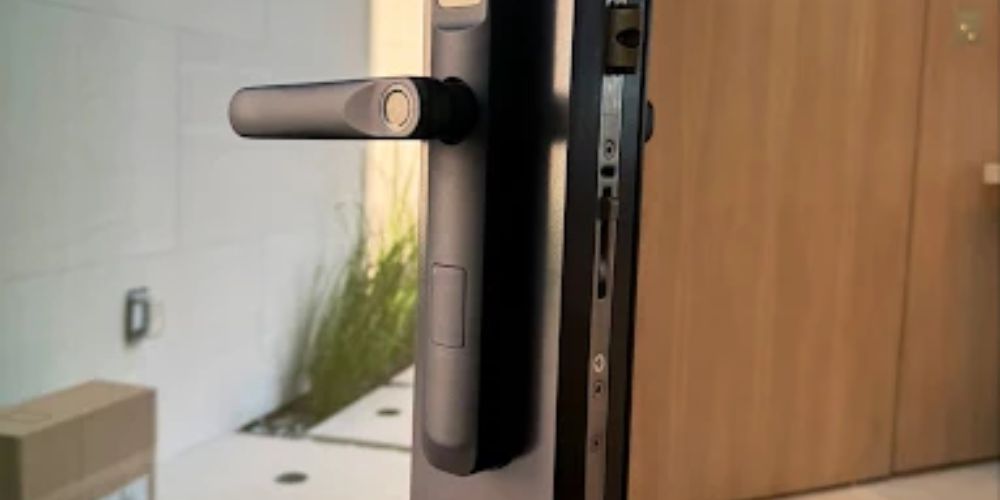
Power cuts are common in Florida during storm season. The router goes dark, the AC stops, and then you’re sitting in the dark thinking about that smart lock on your front door.
Good news, it almost always keeps working. Most smart locks have their own batteries, so your home power doesn’t matter to them. Wi-Fi is the weak spot, since you can’t check the lock from your phone without it. Some locks handle a blackout better than others. Hardwired ones need a bit more thought.
Quick Answer: Most battery-powered smart locks keep working in a blackout. Keypad, fingerprint reader, auto-lock, all of it runs off the lock’s own batteries. The thing you lose is remote control, since your router and hub lose power too.
Do Smart Locks Work Without Power?
Inside most home smart locks there’s a battery pack. Usually it’s four AA batteries, though some models take lithium cells. They run the small motor that moves the deadbolt. Wall power never comes into it, so a blackout doesn’t change how the lock acts.
Hardwired locks are the exception. You’ll see them in offices, apartment buildings and gated entries. They draw from the building’s wiring, so they feel a power cut right away. At a regular house though, a worn-out battery is a bigger risk than a blackout.
How Smart Locks Get Their Power
| Lock Type | Power Source | During a Power Outage |
|---|---|---|
| Keypad smart lock | AA batteries | Keeps working |
| Fingerprint smart lock | AA or lithium batteries | Keeps working |
| Bluetooth smart lock | Batteries | Works when your phone is near the door |
| Wi-Fi smart lock | Batteries plus home Wi-Fi | Lock works, remote access drops |
| Hub-based lock (Z-Wave or Zigbee) | Batteries plus a plugged-in hub | Lock works, hub features drop |
| Hardwired electric lock | Building power | Depends on how the door was set up |
What Stops Working Without Power or Wi-Fi
When the power goes, your router goes with it, and anything that needs the internet stops too. These are the things you’ll notice first:
- Remote lock and unlock: No Wi-Fi, no app control, so you can’t lock up from the office or the beach.
- Phone alerts: Door open and low battery messages can’t reach you without internet.
- Voice control: Smart speakers need power and Wi-Fi, so “lock the front door” gets no answer.
- Code changes from the app: Some locks let you edit codes at the keypad. Plenty don’t.
What Still Works on Battery Power
The daily stuff keeps going. Type your code and the door opens. Fingerprint readers and key cards still work too. Auto-lock still kicks in after the time you set, because that timer is inside the lock. A Bluetooth lock can still talk to your phone if you’re close to the door.
Anything tied to the clock can act a bit strange. Some locks set their time over the internet, and in a long outage that clock can drift. It’s usually minor. If you rent out your place, though, glance at your guest code schedules once the power is back.
Hardwired Locks: Fail-Safe vs. Fail-Secure
Business doors often use magnetic locks or electric strikes, and both run on building power. When that drops, the lock does one of two things. A fail-safe lock unlocks. A fail-secure lock stays locked. It depends on how the door was installed, and a commercial locksmith can check which one you have. Many setups also have a backup battery to cover short outages.
| Setup | What Happens When Power Drops | Common Use |
|---|---|---|
| Fail-safe | Door unlocks | Fire exits, stairwell doors |
| Fail-secure | Door stays locked | Storage rooms, server rooms, cash areas |
Fire codes say exit doors have to open from the inside, even with no power. That’s why a lot of exit doors use fail-safe locks or a push bar that always works. If you manage a building, ask if your access control system has backup power. Still choosing hardware? This guide to common types of commercial door locks covers the basics.
What Happens When a Smart Lock Battery Dies?
A weak battery usually warns you before it gives up. Look for these:
- Beeps or a flashing light every time you use the lock
- A slow motor that turns the bolt with a tired, weak sound
- A keypad that lights up while the bolt won’t move
- No response at all, with the bolt stuck in its last position
Many locks give you a beep, a light or an app alert when the battery runs low. It’s easy to ignore, I know. Batteries often last six months to a year, depending on the model and how busy the door is. If one dies completely, the bolt stays where it was, locked or unlocked.
How to Unlock a Smart Lock With a Dead Battery
Most locks leave you a way in. Check which of these yours has:
- A 9V battery on the contacts: Many models have two small metal contacts on the bottom of the keypad. Hold a 9V battery against them and the lock wakes up long enough for you to enter your code. Read your manual first, since not every lock has this.
- A physical key: A lot of smart locks still have a key cylinder, often behind a small cover. Keep a spare somewhere better than under the doormat. If a spare ever goes missing, rekeying the cylinder sorts that out quickly.
- A USB-C port: Some newer locks let you plug in a power bank for a quick boost.
- Spare batteries: Keep a fresh set in a kitchen drawer near the door.
If none of that works and you’re stuck outside, an emergency locksmith can usually open a smart lock without damaging it.
Tips to Get Ready for Storm Season
Do these before the first storm warning shows up:
- Swap all the batteries at the start of hurricane season, even if the lock says they’re fine.
- Don’t mix old and new batteries. Change the whole set together.
- Check your manual before using rechargeable batteries. Some locks read them as low and give false warnings.
- Try the 9V trick once on a calm day, so you know it really works.
- Write down your master code and keep it somewhere safe that isn’t your phone.
Keep a Key and a Fresh Battery, and Your Door Will Be Fine
For most homes, a power outage won’t stop a smart lock. The batteries keep the keypad and bolt going, and only the app features go offline. Hardwired locks need more planning, so find out whether your doors are fail-safe or fail-secure before storm season.
Best Locksmith helps homes and businesses across Miami with lockouts, lock repair, rekeying and access control. If your smart lock stops responding after a storm, or you want a residential locksmith to look at your door hardware, we’re happy to help.
Locked Out After a Storm?
Dead battery, lost key or a lock that won’t respond? Call Best Locksmith at (305) 770-6863. Our technicians cover the Miami area at any hour and open doors without damage. Arrival is usually under 25 minutes, with flat prices and no hidden fees.